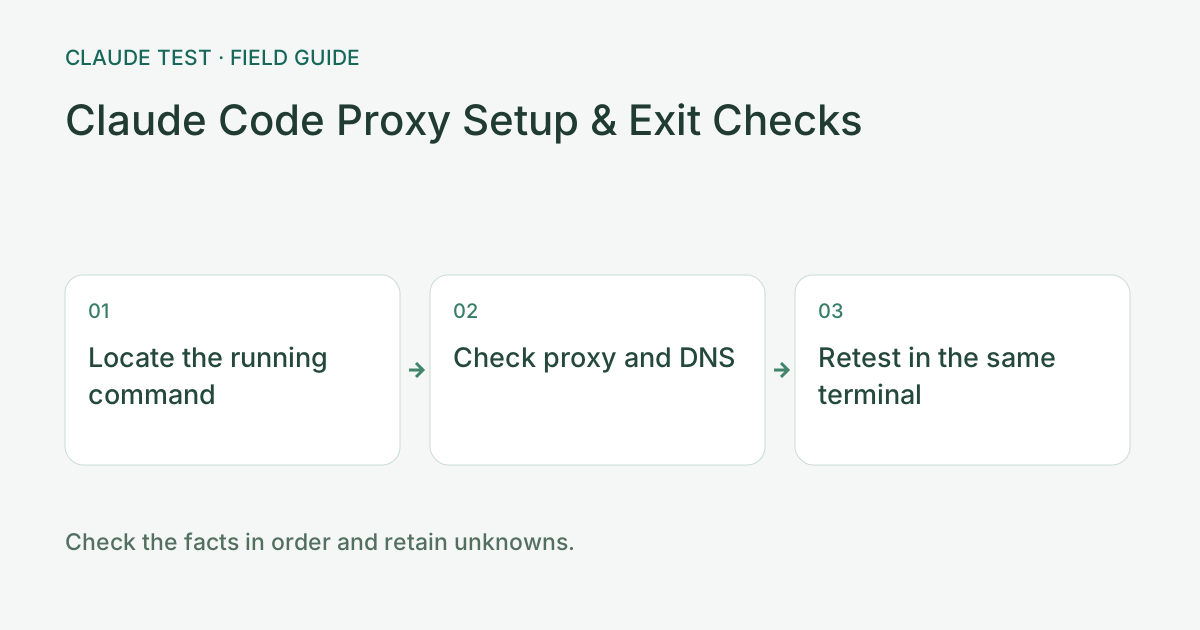
Step 1: Identify the Runtime That Sends Requests
Run claude --version in the terminal where the failure occurs and record whether it is PowerShell, macOS, WSL, a container, or remote SSH. A working web browser proves only that browser path. Remote processes read their remote environment, and a Windows proxy port is not automatically available inside WSL or a server.
You should be able to identify the process, host, and connection channel. If the version command cannot locate the executable, fix installation or PATH first; that failure says nothing about the network or account.
Step 2: Check Proxy Variables Without Exposing Credentials
These commands show only variable names and whether they are set, without printing proxy addresses, usernames, or passwords. Run them in the same terminal as Claude Code. A set variable proves neither proxy reachability nor that the application uses it.
A False value in PowerShell, or a missing name in the macOS/WSL output, means that variable is absent in the current process. Also check whether the client uses a system proxy, TUN, or application settings; absent variables do not establish that no proxy is in use.
Windows PowerShell: read-only check
'HTTPS_PROXY','https_proxy','HTTP_PROXY','http_proxy','NO_PROXY','no_proxy' | ForEach-Object { [pscustomobject]@{Name=$_;Set=[bool][Environment]::GetEnvironmentVariable($_)} }macOS / WSL: read-only check
for name in HTTPS_PROXY https_proxy HTTP_PROXY http_proxy NO_PROXY no_proxy; do
  if printenv "$name" >/dev/null; then printf "%s=set\n" "$name"; fi
done
Step 3: Verify Protocol, Port, and Settings Scope
If explicit proxying is needed, follow the official network documentation for HTTPS_PROXY or HTTP_PROXY and use the actual HTTP/HTTPS proxy endpoint provided by your client. The port below is a placeholder. Do not relabel a SOCKS listener as HTTP; the current Claude Code documentation does not support SOCKS proxies.
Setting a variable in the current terminal makes rollback straightforward and does not change global OS settings. Restart Claude Code from that terminal afterward; existing processes may retain their old environment. Check the documented settings scope separately for background sessions and Desktop-managed connections.
Current PowerShell session only; replace the port
$env:HTTPS_PROXY = "http://127.0.0.1:YOUR_HTTP_PORT"
claude
Current macOS / WSL shell only; replace the port
export HTTPS_PROXY="http://127.0.0.1:YOUR_HTTP_PORT"
claude
Step 4: Separate Bypass Rules, Authentication, and TLS Errors
Check whether NO_PROXY bypasses the target and inspect the client connection record for the selected policy. Handle certificate-chain failures using your organization’s approved CA configuration instead of disabling TLS verification. Inspect configuration values locally and redact proxy authentication before sharing screenshots.
A proxy 407, a target API 401/403, and a transport timeout belong to different layers. Record the error body, target hostname, and runtime as well as the status code, then use the matching error guide.
Verification Record: Change One Condition at a Time
Record the failure time, terminal type, Claude Code version, variable presence, and original error. Change one setting and repeat the same request in the same terminal. Improvement means the original failure is resolved and the actual task works, rather than merely seeing a preferred country in an IP lookup.
The split-routing module can supplement your record with browser probe targets and exits, but cannot measure a terminal or remote process on its behalf. Share redacted before/after differences rather than API keys, Authorization headers, full session logs, or proxy passwords.
References & Freshness
The above is independent diagnostic guidance with no access to Anthropic internal risk controls. Policies, UIs, and support workflows may change—always verify against official effective dates and your account portal.