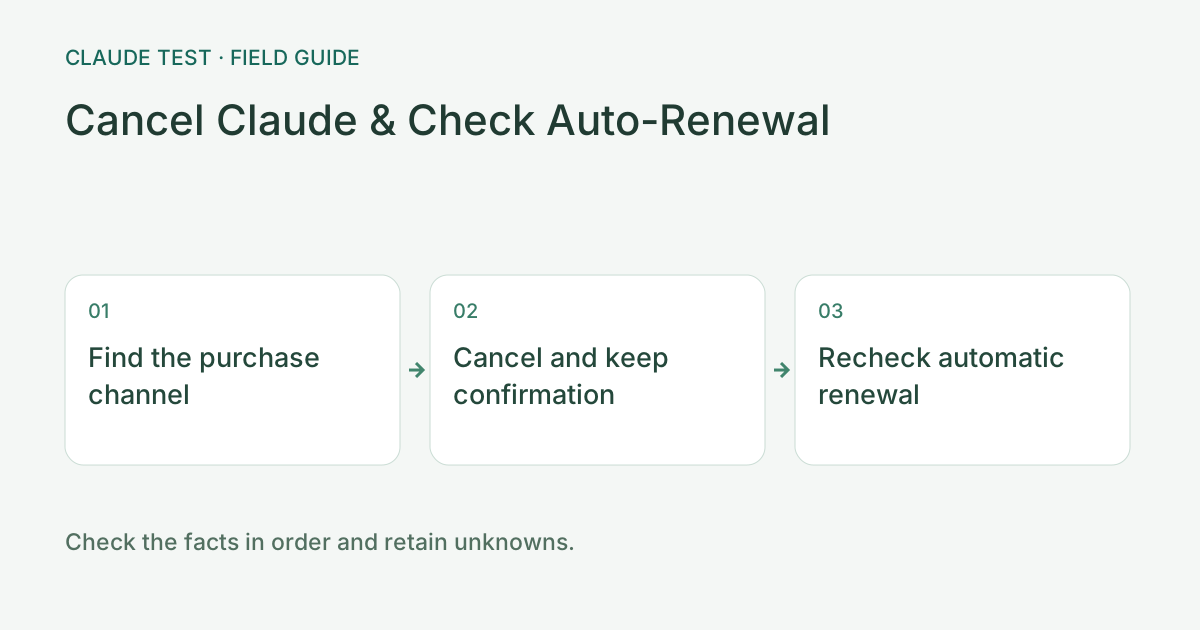
Confirm Which Platform Manages Your Active Subscription
Uninstalling the mobile app or logging out does not cancel auto-renewal. Cancel directly in Claude web Billing settings, iOS Subscriptions, or Google Play Subscriptions.
Save Your Cancellation Confirmation and Expiration Date
Keep a copy of the cancellation confirmation email or subscription screen showing the end of the current billing cycle.
Cancellation and Refund Requests Are Separate Steps
Canceling stops future recurring charges; requesting a refund for an existing charge requires following the official refund workflow for your payment channel.
How to Manage Subscriptions When You Cannot Sign In
If your account is restricted and you cannot access web settings, review the official billing help articles or manage mobile subscriptions directly in your App Store / Google Play account.
Common Real-World Scenario
For example, if you deleted the app from your phone, still open iOS/Android Subscription settings to confirm auto-renewal is turned off.
Verify renewal status after cancellation
Identify the purchase channel from the original receipt and open that platform's official subscription-management page. Follow current guidance to cancel or disable renewal and retain the confirmation. Menus can change between versions, so rely on the resulting status rather than only locating a button from an old screenshot.
After cancellation, check whether another charge is scheduled, whether an expiry date is shown, and what access remains. Signing out, deleting the app, or clearing diagnostic history does not cancel a subscription. If a refund is also desired, review that process separately; cancellation confirmation is not refund approval.
For example, continued paid access after cancellation does not by itself prove failure; check the current billing-period terms. If renewal remains scheduled and no confirmation exists, revisit the original platform or contact support. Keep the time and status before making further changes, especially when more than one account or purchase channel is involved.
References & Freshness
The above is independent diagnostic guidance with no access to Anthropic internal risk controls. Policies, UIs, and support workflows may change—always verify against official effective dates and your account portal.